Pick a map
Tap one to see it belowThe overlay is see-through, so you just stack it above your game capture in OBS. It stays invisible until someone types !drop, fades in for the drop, then fades away after a few quiet seconds (change that with idle). Turn on BRB mode for your break scene to get the full background version. The game you see on the right is a made-up stand-in.
Every viewer gets their own look
No skin picker, no setup. The game builds each character from the viewer's Twitch username, so the same name always gets the same look. Regulars are recognizable the second they drop in, on any stream that runs Chat Drop, on every map.
- Skin tone from 7 options
- Outfit and trim from 12 colors
- Pants and backpack from 6 colors
- Hair from 8 colors
- Headwear: beanie, helmet, spiky hair, cap or bun
- Glider in two colors and one of 3 patterns
All of it is original art drawn in code, so it's safe to show on stream. Change your Twitch username and you get a new look.
Themes 🦃 🦝
Same game, rules, commands and leaderboard, with a whole new look. Pick a map under Map below, or add it to the end of a link you already have.
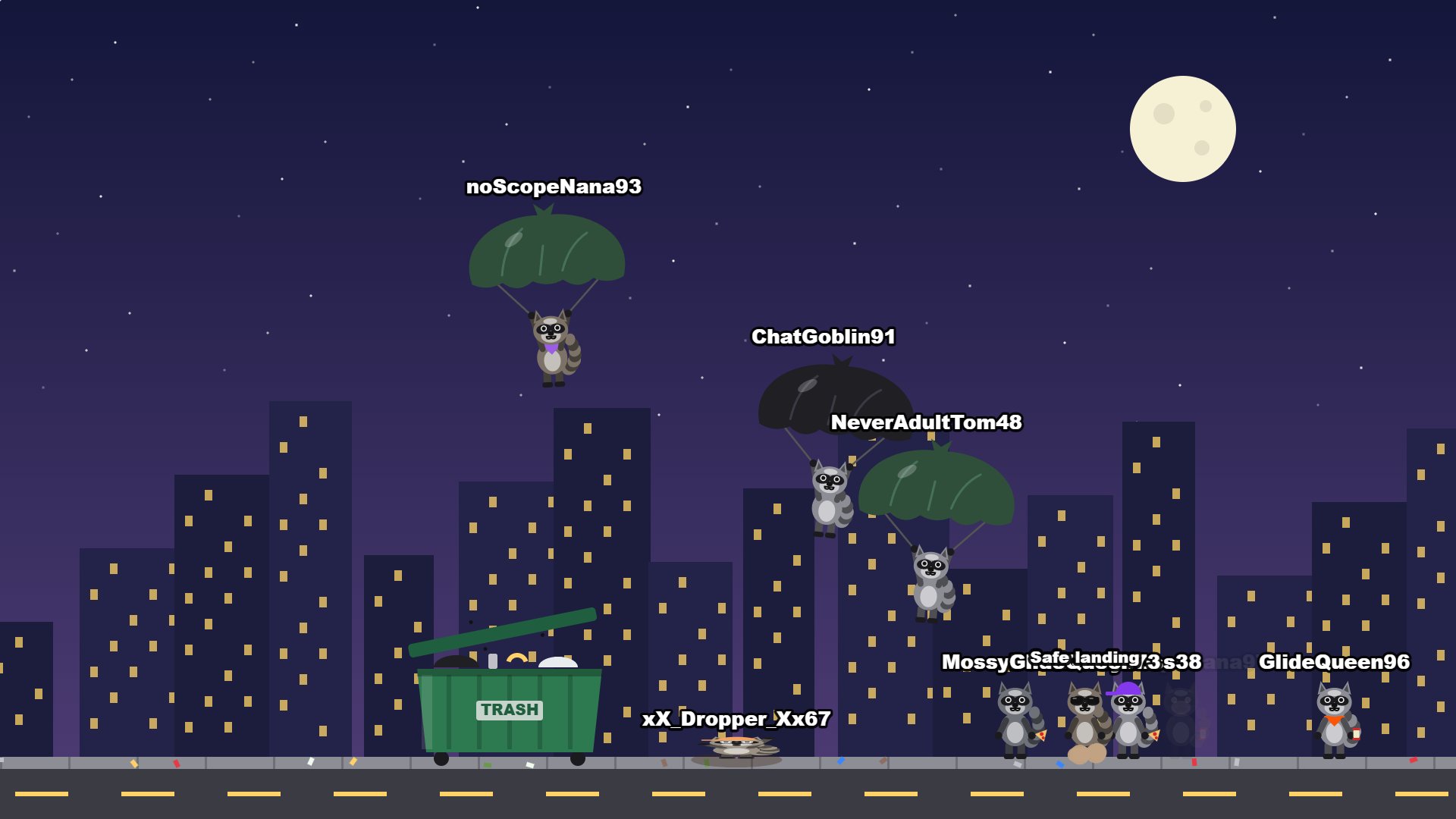
&theme=trashRaccoons parachute in on trash bags, aiming for the dumpster. Land a jackpot and it's TRASH ACQUIRED, with junk flying everywhere. If a bag rips, they chitter all the way down.
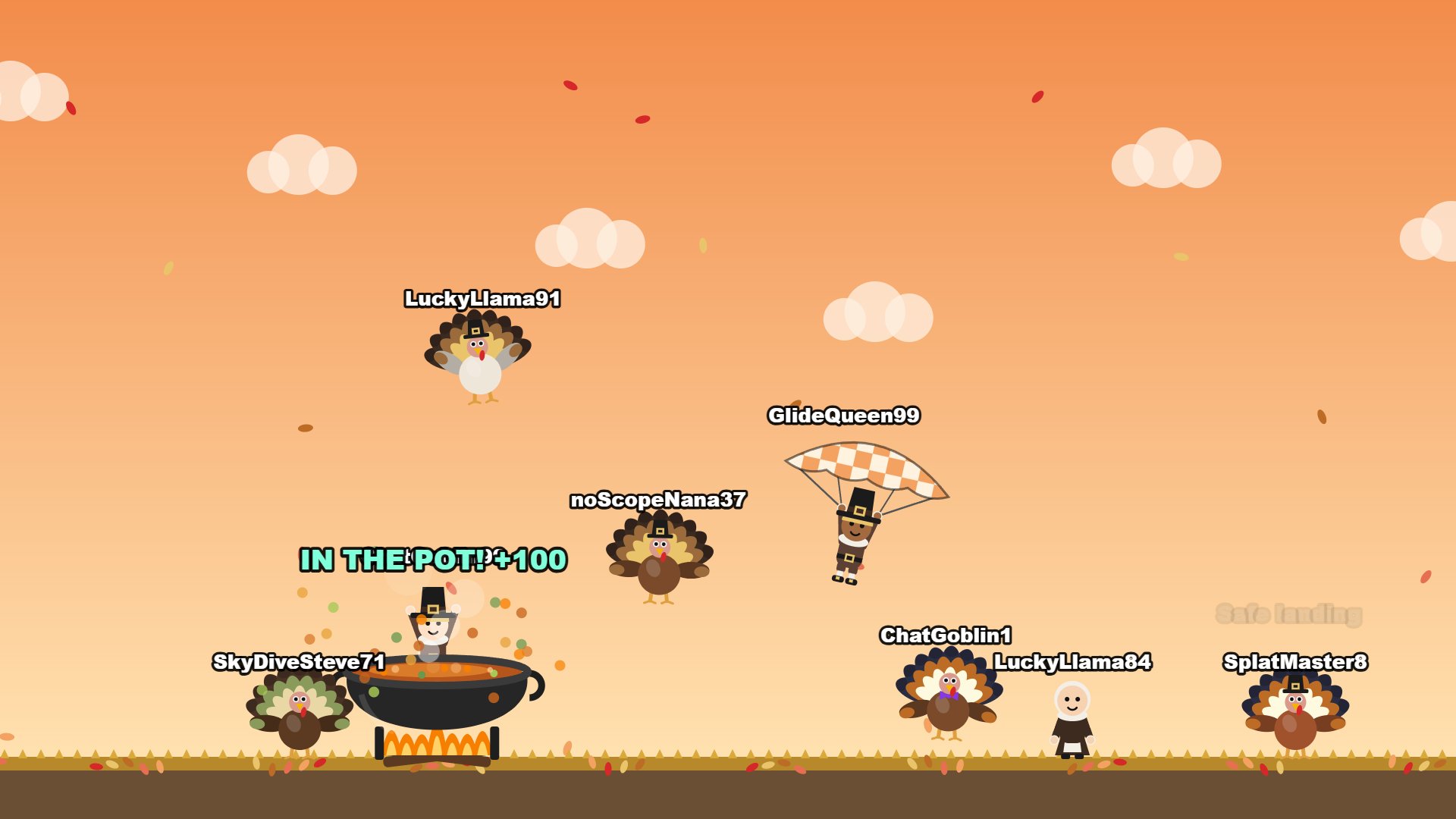
&theme=turkeyTurkeys flap and pilgrims float in on checked tablecloths, aiming for a bubbling cook pot. A turkey splat sends feathers flying, with a gobble.
Viewers keep their name, and their look is still picked from their username, so they come down as the same raccoon, turkey or pilgrim every time.
Get your OBS link
Fill this in, copy the link, paste it into an OBS Browser source. That's it.
Type your channel name above
Bonus: BRB / break screen
A full-screen version for your "be right back" scene: sky background, big title, leaderboard always showing. Chat keeps playing while you're away.
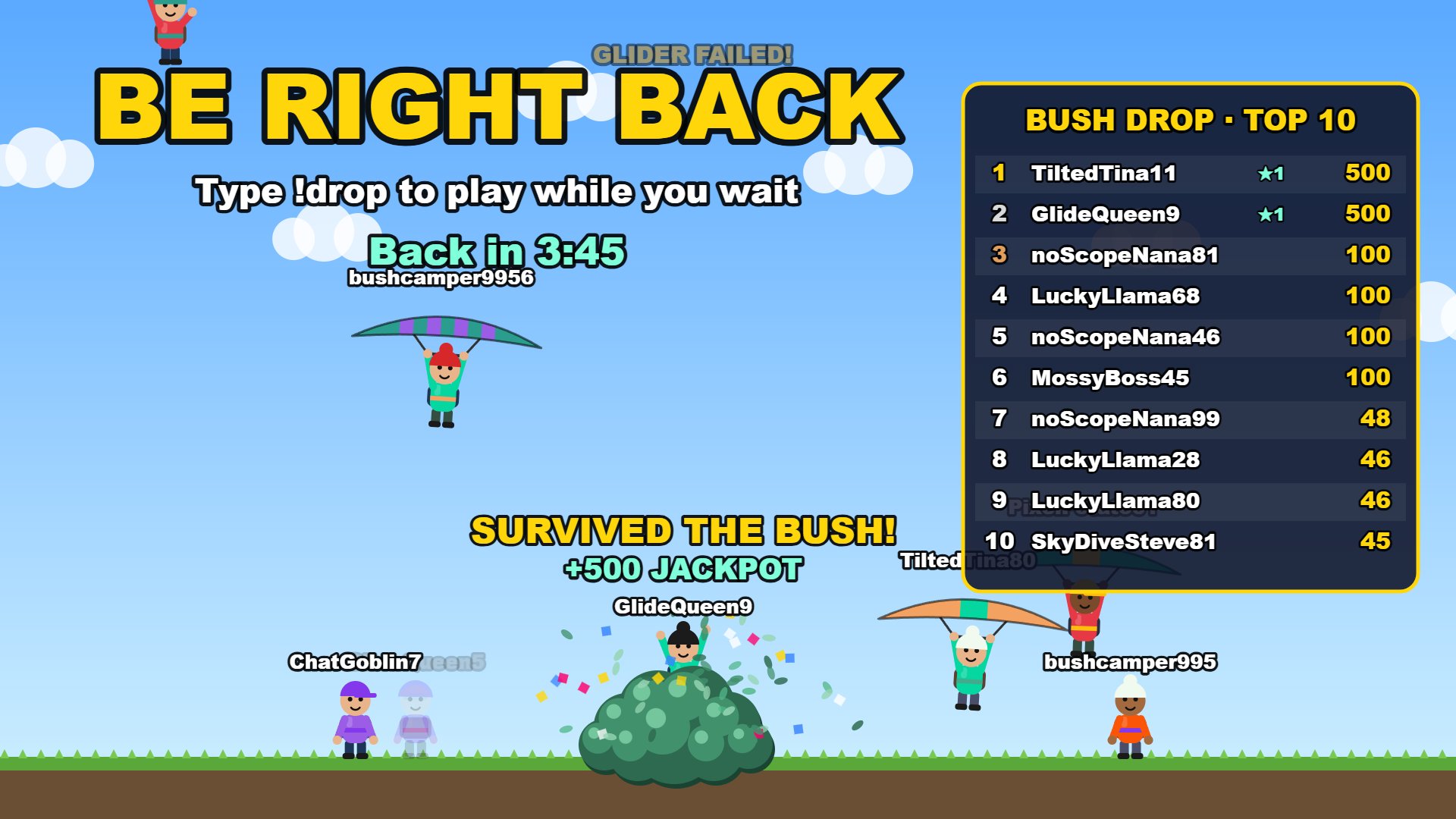
Type your channel name above
Using both links? In OBS, open each Browser source's properties and tick Shutdown source when not visible. Then only the scene on screen plays, so your overlay and BRB screen don't both react to every !drop. They share the same leaderboard either way.
Add it to OBS
- In OBS, click + under Sources and pick Browser.
- Paste your link into URL.
- Set width 1920 and height 1080.
- Tick Control audio via OBS for its own volume slider, and Shutdown source when not visible (important if you also add the BRB screen, so only one copy plays at a time).
- Put it above your game capture. The background is see-through, and the bush only appears when someone drops.
- Type your command in your own chat to try it.
- Can't hear it yourself? In the Audio Mixer, click the headphone button under the source so it turns green. (Or gear → Advanced Audio Properties → Audio Monitoring: Monitoring Enabled, called Monitor and Output in older OBS.)
Chat commands
| Command | Who | Does |
|---|---|---|
!drop | Anyone | Drop in |
!droptop | Anyone | Top 10 on screen |
!dropreset | Mods | Wipe the leaderboard |
You and your mods can drop as often as you like. VIPs wait 10s, viewers 30s.
Coming soon IN THE WORKS
Ideas on the way. The game itself stays free, and nothing you can buy will ever give you more points.
Themes on the way
Silly ones
Like the game? Toss a coin in the tip jar
Chat Drop is free and always will be. Tips help pay for new themes and keep it running.
💛 Donate with PayPal Totally optional. Following on Twitch helps just as much.